Na svoj mobilni telefon si naložite mobilno aplikacijo ATA Carnet:


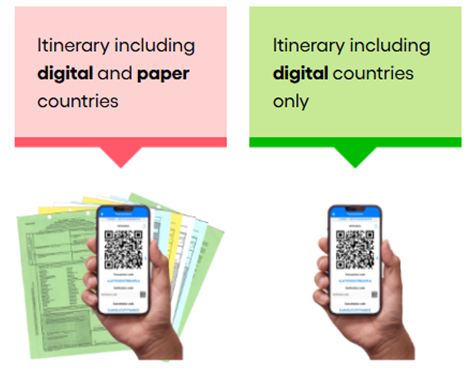
Uporaba ATA zvezka med "digitalnimi" in "papirnimi" državami

Uporaba digitalnega ATA zvezka je za nas obvezna.

  • V »digitalne države« boste lahko potovali samo z digitalnim zvezkom.
  • V »papirne države« boste potovali z digitalnim IN papirnim zvezkom.

Kljub temu bomo na začetku vsem imetnikom izdajali in priporočali uporabo tudi papirnatih zvezkov v digitalnih državah.


Kako uporabljate aplikacijo?

Uporaba aplikacije je preprosta. Spodaj lahko vidite uporabo po korakih.

Infographic showing an eight-step process for using a digital ATA Carnet. Step 1: The user applies online for an ATA Carnet via the issuing association’s existing platform. Step 2: The user receives a Carnet ID and a PIN from the issuing association. Step 3: The user downloads the ATA Carnet app from the app store. Step 4: The user registers an account or logs in to the app. Step 5: The user downloads the digital ATA Carnet in the app using the Carnet ID and PIN. Step 6: The user prepares travel and goods declarations within the ATA Carnet app. Step 7: At Customs, the user presents a QR code generated by the app for declaration processing. Step 8: The user receives a notification to check the transactions carried out by Customs.


Na svoj mobilni telefon si naložite mobilno aplikacijo ATA Carnet: